


Running a church involves more than services on Sunday. Leaders need to manage member records, track giving, organize events, schedule volunteers, and communicate with the congregation. When these tasks are handled through spreadsheets or scattered tools, administration quickly becomes difficult and time-consuming.
A church management system brings everything into one place, helping churches manage members, donations, events, volunteers, and communication more efficiently. This guide covers how these systems support growth, key features to look for, and how tools like ChMeetings work in practice.
How Do Church Management Systems Drive Growth?
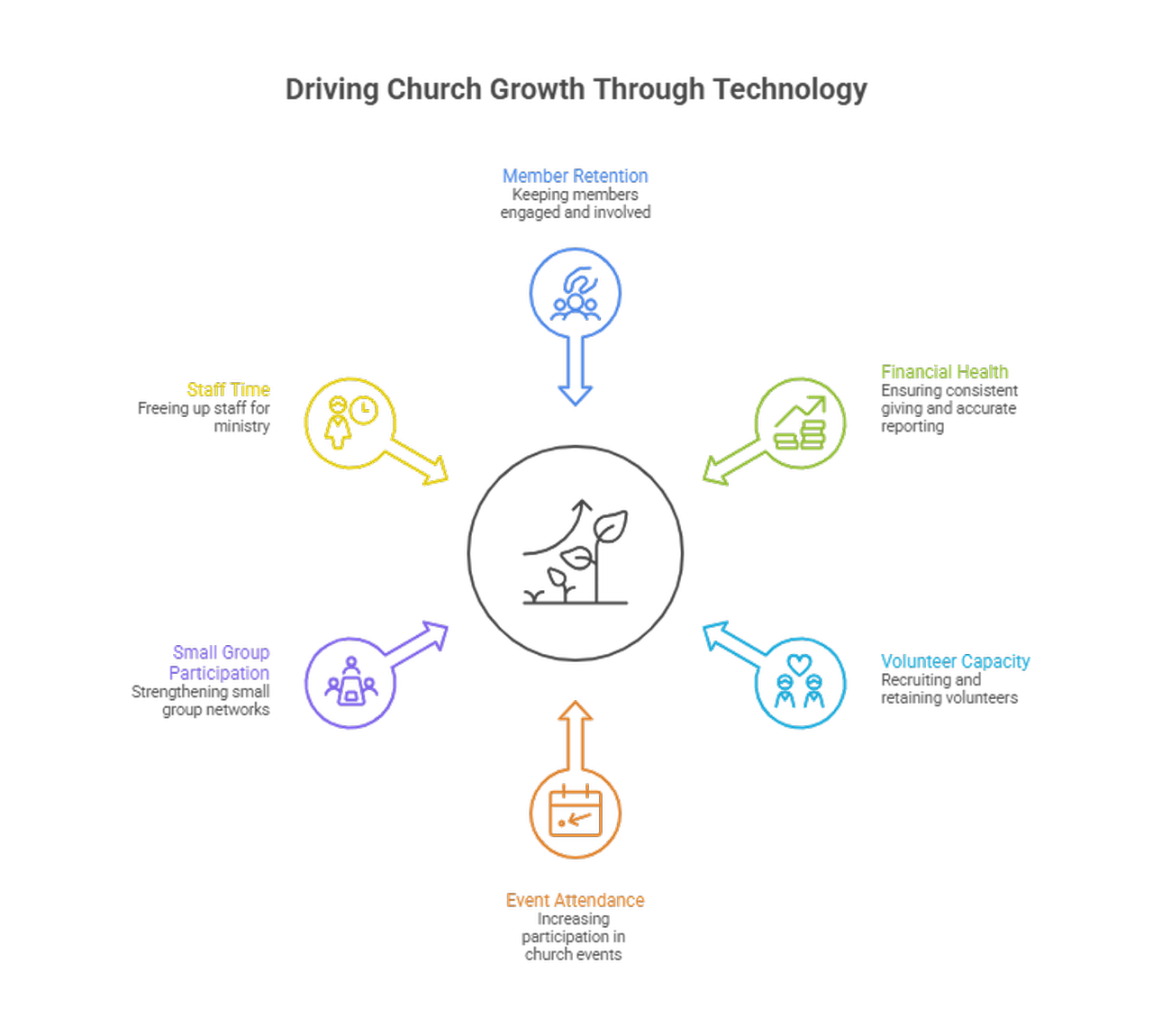
Increase Member Retention
A centralized record that combines attendance, giving, group involvement, and notes allows leaders to follow up more intentionally. Automated alerts and segmented communication make it easier to reconnect with members before they disengage, helping churches maintain stronger long-term relationships.
Boost Giving And Financial Health
Online giving and recurring donation options reduce friction and encourage more consistent contributions. Built-in tracking, contribution statements, and real-time financial reporting improve transparency, support better budgeting decisions, and strengthen trust in how church finances are managed.
Grow Volunteer Capacity
Volunteer management tools organize scheduling, match people to roles based on availability, and automate reminders, reducing coordination issues. Clear structure and simpler onboarding improve volunteer retention and make it easier to scale ministry teams.
Improve Event Attendance
Online registration, automated reminders, and capacity management make it easier for people to attend events and reduce no-shows. Check-in tools also provide accurate attendance data, allowing churches to follow up more effectively after events.
Strengthen Small Group Participation
Group management features give leaders visibility into attendance and engagement, helping them identify who is active and who may need follow-up. This supports more consistent participation and stronger community connections within the church.
Free Staff Time For Ministry
Automation of routine tasks such as emails, reporting, and scheduling reduces administrative workload. This allows staff to focus more on ministry, pastoral care, and strategic initiatives instead of manual processes.
What Core Features Should You Expect?
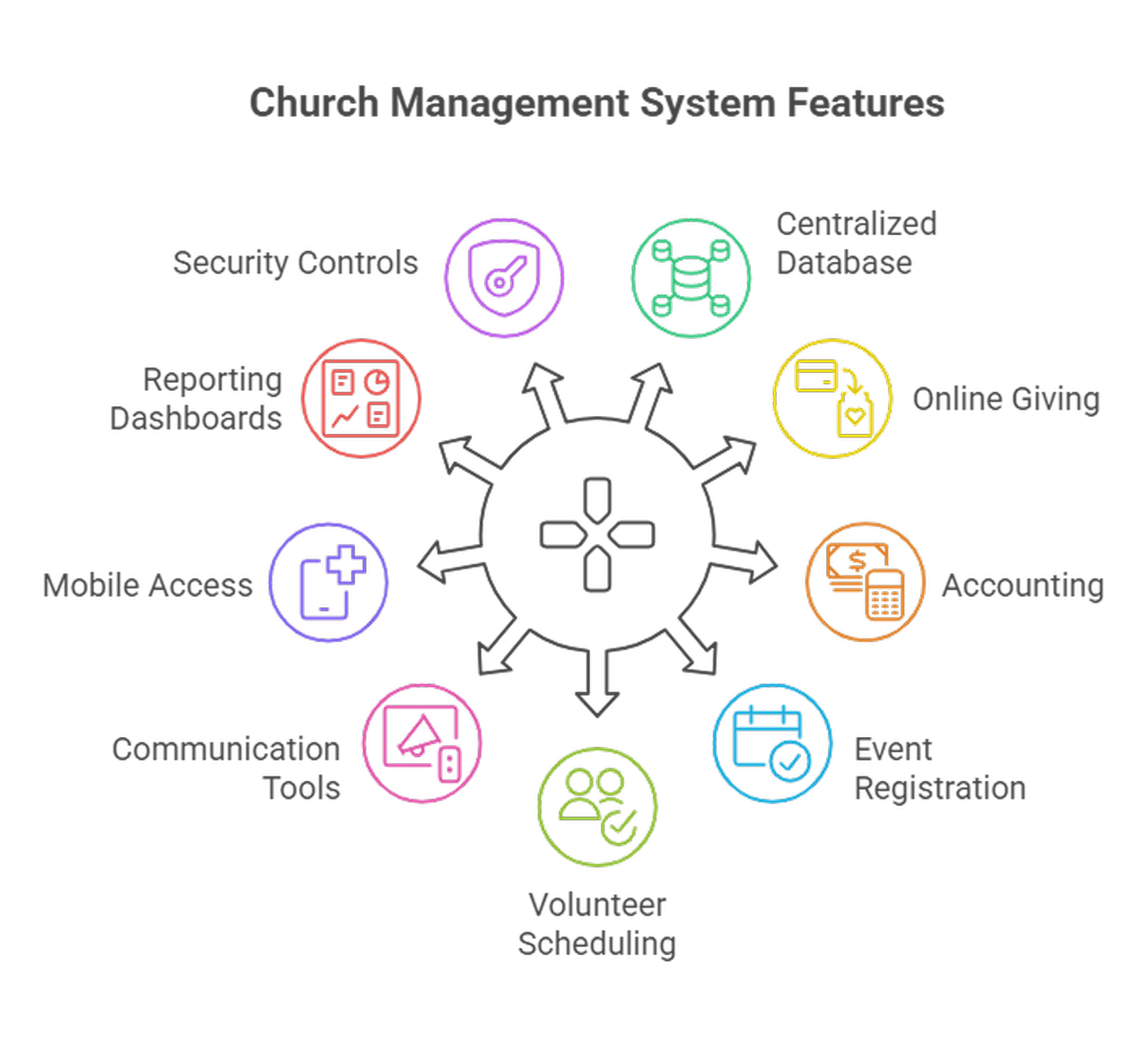
Centralized People Database
A centralized database stores member profiles, family relationships, tags, and interaction history in one place. This makes records easier to manage, reduces duplication, and gives leaders a clearer view of member engagement.
Online Giving And Payments
Secure online giving with recurring options makes it easier for members to contribute consistently. Built-in tracking, pledge management, and contribution statements help maintain accurate records and improve financial transparency.
Accounting And Budgeting
A strong system tracks contributions, fees, and deposits in a structured way that simplifies reconciliation. Clear financial records support reporting, reduce errors, and help leadership manage budgets with confidence.
Event Registration And Check In
Event tools should allow online registration, payments when needed, and fast check-in at the door. Features like QR codes, waitlists, and custom forms help streamline logistics and improve attendance tracking.
Volunteer Scheduling And Placement
Scheduling tools assign roles, manage availability, and send automated reminders to keep teams organized. Clear workflows make it easier to coordinate volunteers and reduce last-minute gaps.
Communication Tools And Workflows
Email, SMS, and push notifications in one place make segmented outreach simple. Automation sequences for follow up, event reminders, and onboarding reduce manual work. Personalization and audience filters keep messages relevant and improve response rates.
Mobile Access And Member Portal
Members expect to update their profiles, give, and register for events directly from their phones. For example, a church management app like ChMeetings offers mobile access, event sign-ups, and giving options so congregations can stay connected without extra steps.
Reporting And Dashboards
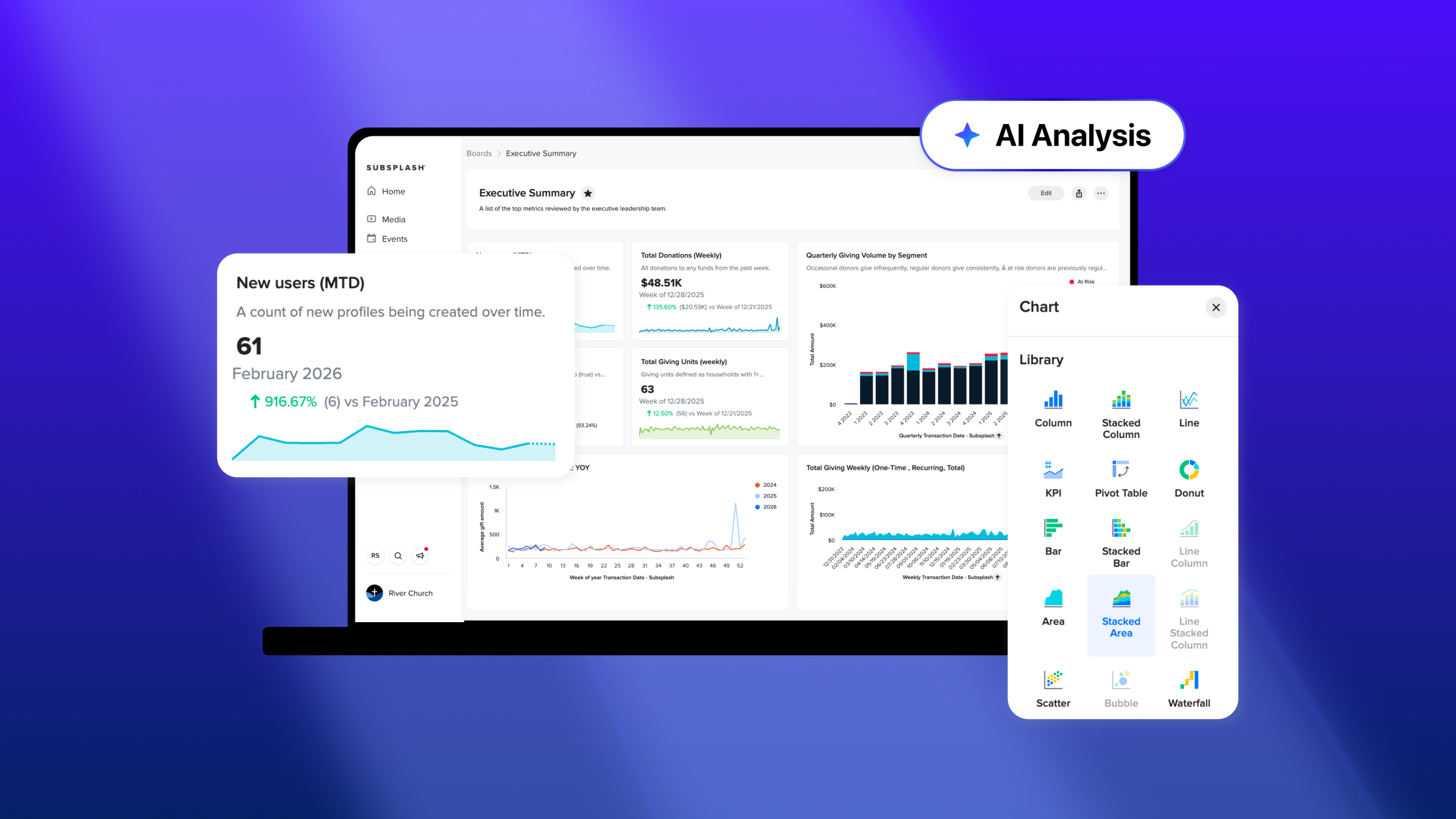
Dashboards that surface attendance trends, giving patterns, and financial insights turn raw data into decisions. Exportable reports let finance, pastoral, and leadership teams dive deeper when needed. Simple visualizations help you measure whether initiatives are moving the needle.
Permissions And Security Controls
Role-based access keeps sensitive data protected while giving volunteers the tools they need. Audit logs, encryption, and compliance features matter for trust and legal obligations. Strong security protects people and the church’s reputation.
How Do I Choose The Right System?
Map Church Needs First
Start with a short audit, not a feature checklist. Identify your priorities, such as family ministry, multi-site support, volunteer complexity, or fundraising goals. That clarity prevents buying a tool that’s either overkill or missing essentials.
Compare Pricing Models
Look past sticker price to how costs scale, any transaction fees, and whether paid plans include the full feature set. Free tiers can be good for trial runs, but check limits on people, messages, and integrations. Know what you’ll pay as you grow.
Evaluate Usability For Volunteers
If volunteers find the app confusing, adoption will stall. Run demos with typical volunteer roles and ask them to complete common tasks on mobile. A shallow learning curve matters more than having every advanced feature.
Check Integration Capabilities
Your church ecosystem includes website forms, calendars, and maybe worship planning tools. Confirm APIs, webhooks, and native integrations so data flows instead of being retyped. Integration reduces errors and keeps leaders aligned.
Ask About Support And Training
A vendor who responds quickly saves weeks of frustration. Check for onboarding packages, training resources, live support, and a knowledge base. Support quality often matters more than tiny differences in features.
Validate References And Case Studies
Request references from churches similar in size and ministry style. Ask what success looked like, how long implementation took, and what challenges came up. Real-world stories tell you how the system performs under pressure.
Example Of A Church Management System In Practice: ChMeetings
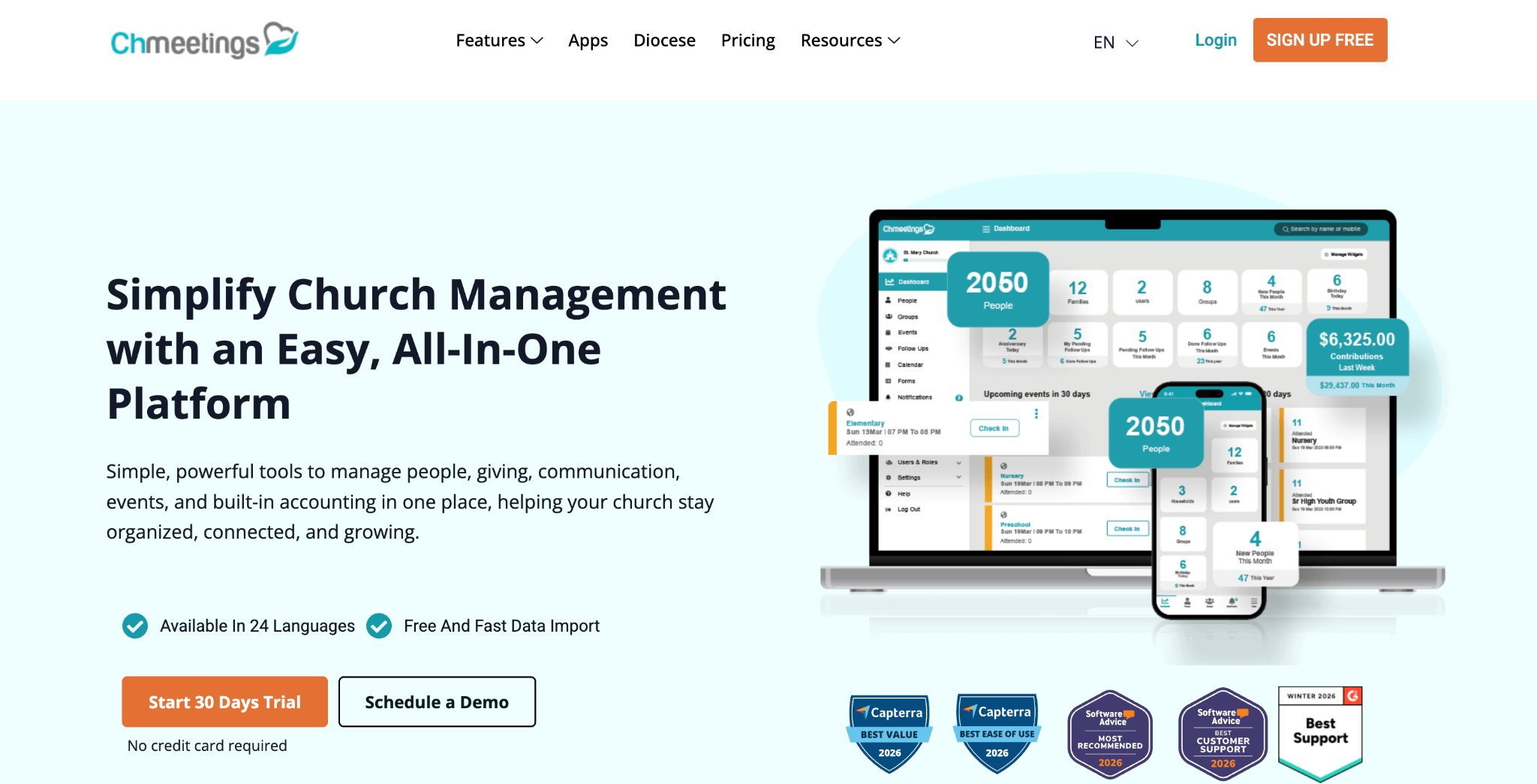
To better understand how church management systems work in real ministry settings, it helps to look at a platform that combines these capabilities in one place.
One example is ChMeetings, a cloud-based church management platform used by churches to organize member data, manage events, coordinate volunteers, and track giving. Instead of relying on spreadsheets or multiple disconnected tools, churches can manage key administrative processes from a single system.
Centralized Member Database
ChMeetings provides a people database where churches store member profiles, family relationships, contact information, attendance records, and notes. This allows church leaders to keep accurate records and better understand member engagement across services, groups, and activities.
Event And Group Management
Churches can create events, allow online registration, and track attendance through check-in tools. Small groups can also be managed through the platform, with group rosters and communication tools that help leaders stay connected with members.
Volunteer Scheduling
The system includes volunteer management features that allow churches to schedule volunteers, assign roles, and send reminders. This helps ministry teams organize serving schedules more efficiently and reduces last-minute coordination.
Online Giving And Contributions
ChMeetings supports online giving so members can donate digitally and churches can track contributions in member profiles. Finance teams can generate accurate reports and statements based on recorded giving data, helping maintain clear and reliable accounting.
Accounting And Financial Management
ChMeetings helps churches manage their finances by keeping giving data, fees, and deposits organized within the same system. This allows finance teams to reconcile transactions, maintain accurate records, and generate financial reports without relying on separate tools. Bank synchronization, budgeting, and check printing support daily financial management, helping churches stay organized and in control.
Communication Tools
Church leaders can communicate with members through email and SMS messaging from within the system. These tools help churches send announcements, reminders, or follow-ups to specific groups of people.
Member Portal And Mobile Access
Members can access certain features through a portal or mobile app, allowing them to update their profile, register for events, or interact with church activities from their phone.
Together, these capabilities illustrate how a church management system can simplify administration. By connecting member data, communication, events, volunteers, and giving, platforms like ChMeetings help churches operate more efficiently while maintaining stronger relationships with their congregations.
How Do I Implement Successfully?
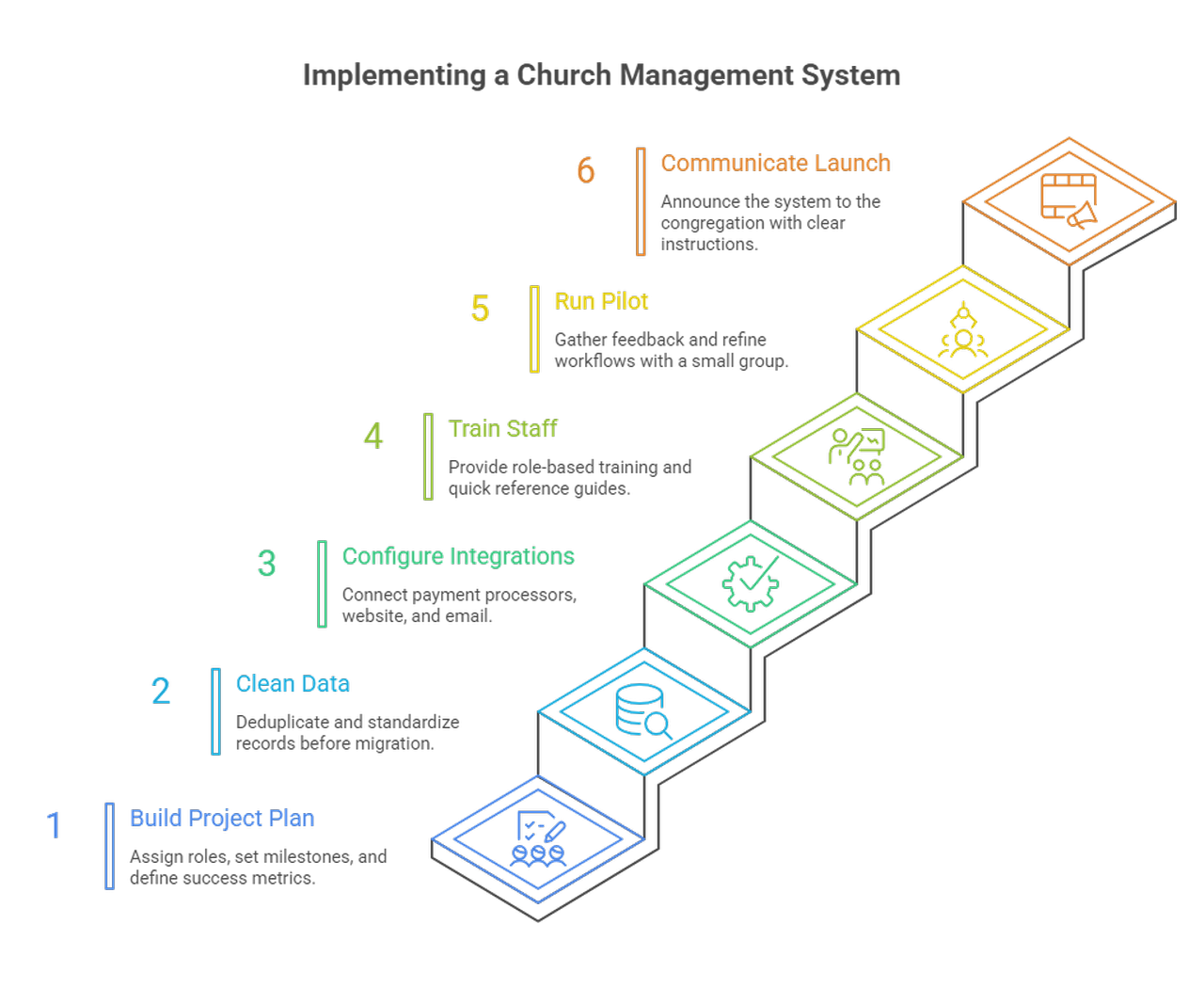
Build A Project Plan
Assign a project owner, set milestones, and include stakeholders from staff and volunteer teams. Define success metrics up front so everyone knows what to measure. A realistic timeline reduces rushed, error-prone rollouts.
Clean And Migrate Data
Good data beats fast imports. Deduplicate records, standardize fields, and archive old entries before you migrate. Test small imports first, fix mapping issues, then move the rest.
Configure Integrations
Connect payment processors, your website, and email platform early in the plan. Test end-to-end flows, like a form submission creating a member record or an event registration appearing in your system. Early testing prevents surprises at launch.
Train Staff And Volunteers
Provide short, role-based training sessions focused on real tasks rather than long documentation. Practical walkthroughs help users feel confident and improve adoption across teams.
Run A Pilot And Iterate
Start with a small group or ministry to test workflows and gather feedback. Use these insights to refine processes before rolling out the system across the entire church.
Communicate Launch To Congregation
Announce the launch clearly across your communication channels and explain how members can start using the system. Providing simple guides and support options helps reduce confusion and encourages adoption.
What Metrics Should I Track?
New Members And Retention Rates
Tracking new members shows how effective your outreach and first-time experience are, while retention rates over time reveal whether people stay engaged. Monitoring these together helps you understand how well your church is building long-term relationships.
Weekly Attendance Trends
Analyzing attendance across services and time periods helps identify growth patterns and seasonal fluctuations. Consistent tracking makes it easier to spot declines early and adjust programs or communication accordingly.
Giving Volume And Donor Retention
Total giving and recurring contributions indicate overall financial health, while donor retention reflects long-term trust and engagement. Monitoring both helps churches improve stewardship and maintain stable funding.
Volunteer Engagement And Turnover
Tracking how many volunteers are active and how long they stay in roles highlights the strength of your volunteer system. High turnover or unfilled roles often points to scheduling or onboarding issues that need attention.
Event Conversion And No Show Rates
Comparing registrations to actual attendance shows how effective your event communication and planning are. Understanding no-show patterns helps improve reminders, logistics, and overall event experience.
Time Saved And ROI
Measuring time saved through automation helps quantify the operational impact of your system. Comparing this to costs provides a clear view of return on investment and overall efficiency gains.
FAQs
What Is A Church Management System?
A church management system centralizes people records, giving, events, volunteer schedules, communications, and reports in one place. It replaces scattered spreadsheets and disconnected tools so leaders can follow up, steward resources, and measure ministry impact.
How Much Does It Typically Cost?
Costs vary. Free tiers exist for very small groups. Monthly SaaS plans commonly range from low double digits for small congregations to higher tiers for multi-site or diocesan needs. Factor in transaction fees for giving, any optional branded apps, and potential implementation or training costs. Always compare what features are included versus add-ons.
Can A Small Church Benefit?
Yes. Small churches get quick wins from clean member records, recurring giving, simple event registration, and automated welcome flows. Free plans or low-cost tiers make experimentation low risk. The real benefit is reclaiming time so volunteers and staff can focus on ministry.
How Long Does Implementation Take?
Small churches can go live with core features in a few weeks if data is clean. Larger churches or multi-site rollouts often take two to six months, depending on data complexity, integrations, and training. Plan phases: core people and giving first, then events, volunteers, and advanced automations.
Is My Data Secure With Vendors?
Reputable vendors use encryption, role-based access, audit logs, backups, and regular security testing. Ask for documentation on certifications, compliance (for example GDPR), backup frequency, and their incident response process. Also audit your church’s permissions and authentication policies for added safety.
Will It Replace Staff Roles?
No, it reduces repetitive tasks and shifts staff time toward care, strategy, and leadership. Some administrative roles may evolve into configuration and data stewardship roles, but most churches find they need the same people, doing higher-value work.
How Do I Migrate From Excel?
Start by exporting current spreadsheets, deduplicate and standardize fields, map those fields to the new system, and run small test imports. Verify family relationships, giving history, and event records. Train a small group on the imported data and fix issues before importing the full set. Keep backups of originals until you’re confident.
What Metrics Prove ROI?
Measure hours saved on admin tasks, increases in recurring giving, donor retention rates, volunteer fill rates, event conversion rates, and net attendance growth. Translate time saved into a dollar value using staff or volunteer cost rates, then compare that to subscription and processing costs to make a clear ROI case.



Responses